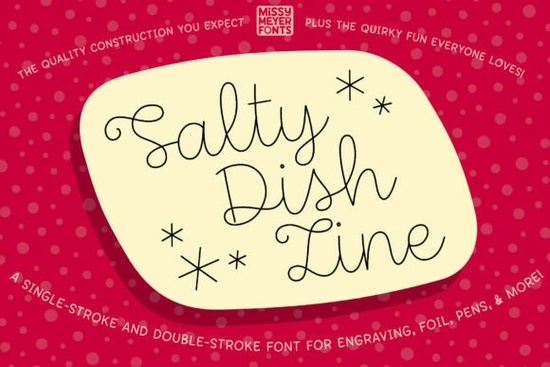
If you’re looking for a casual, hand-drawn script that translates beautifully to pen, foil, or engraving tools, Salty Dish Line is worth a close look. This single-line font is the simplified sibling of the original Salty Dish outline typeface, keeping all its warmth and playful rhythm but rebuilt specifically for machines that follow a single path not for filling outlines like a traditional font. It’s a script that feels personal, a little bouncy, and ready to bring a handcrafted charm to everything from engraved jewelry to custom cutting boards.
What makes a single-line font different from a standard font?
Standard fonts create closed shapes that design software automatically fills with color. That’s perfect for printing, but when you use a sketch pen, foil quill, engraving tip, or infusible ink marker, you don’t want filled letters you want a clean, open path the tool can trace. Salty Dish Line was built for exactly that. Instead of thick-and-thin outlines, it offers a single continuous stroke that looks like real handwriting without the need to convert text to paths or manually create offset lines.
Because the font consists only of center-line strokes, it works beautifully with any stylus-based machine accessory. You can think of it as a true writing font, similar to what you’d get if you wrote the word yourself with a fine pen on paper, but completely repeatable and scalable.
Which tools and machines work best with this font?
Salty Dish Line is designed for drawing- and scoring-based workflows. Here’s where it shines:
- Sketch pens – Lightweight, sketchy looks on cardstock, labels, and gift tags.
- Foil quills – Adds metallic foil accents to cards, invitations, and party decor.
- Engraving tools – Etches the lettering onto acrylic, metal, leather, wood, and glass.
- Infusible ink pens – Creates permanent, vibrant designs on compatible blanks like mugs, totes, and coasters.
- Glowforge and laser scoring – The single-line path scores beautifully on wood, paper, and acrylic without double lines.
- Any stylus-based tool that follows a center line, including generic pen holders and embossing tips.
If your projects often mix hand-lettered style with machine precision, this font bridges that gap. It feels organic but gives you the consistency of a digital asset.
Is it compatible with Cricut Design Space and Brother CanvasWorkspace?
Compatibility is a key question for crafters, and the answer has a few important nuances. In Cricut Design Space, the font works well for drawing and foiling projects, though because it’s a single-line writing font, you’ll need to change the operation style from “Basic Cut” to “Draw” or “Foil” and select the appropriate tool. Some users may see an error when trying to go to the “Make It” screen if that happens, a quick workaround is to ungroup and regroup the text or weld it first. The good news is that the bundled single-stroke and double-stroke versions give you flexibility if your software or machine prefers slightly thicker paths.
Brother CanvasWorkspace can be trickier. Due to known software limitations with typeable fonts, the text may not display as expected. The product package includes a full-character SVG file as a safety net. You can manually arrange the individual letters you need in your design, much like setting physical letter stamps, which actually opens up lovely creative possibilities for custom layouts.
Tip: If you mainly use a Brother ScanNCut, the SVG file is your most reliable friend. Import it, ungroup the characters, and build words letter by letter for worry-free results.
What kind of projects suit this casual script font?
Salty Dish Line has a relaxed, slightly rushed-in-a-good-way feel think handwritten grocery lists, farmhouse signs, and personal notes turned into keepsakes. You can use it for:
- Greeting cards and invitations – The single-line style looks like real penmanship, especially with a fine marker or foil.
- Engraved jewelry and metal stamps – A simple name or short phrase comes out crisp and personal.
- Cutting boards and kitchen décor – Deep scoring or light engraving turns wood into a meaningful gift.
- Gift tags and labels – Handwritten warmth without the mess.
- Mugs and tote bags – With infusible ink pens, the design becomes part of the fabric, not just sitting on top.
Because the font is not overly formal, it pairs nicely with clean serif or sans-serif type for a balanced modern look. It’s also a great companion for crafters who love casual, friendly script fonts that don’t feel stiff. If you’ve tried carefree weekend vibe fonts for playful projects, you already know the kind of handmade feel this delivers.
How does Salty Dish Line compare to other writing and script fonts?
Most script fonts on Creative Fabrica are outline-based, meaning they need to be converted into single lines manually or used with filled shapes. Salty Dish Line gives you the real thing right out of the folder. For crafters exploring expressive, marker-style scripts, this is a more polished but still organic option. It carries the same imperfect charm as vintage-inspired lettering styles but with a flow that’s loose and current. If you frequently mix machine writing with real hand-lettering, the font blends in seamlessly people often can’t tell it was done with a cutting machine.
The typeface includes both single-stroke and double-stroke versions. The double-stroke can be useful for certain foil quills that prefer a slightly more visible line, or for times when you need a bolder result on porous surfaces. Having both in one family makes it a practical grab for multiple materials and machines.
What should I know before using a writing-style font?
Using a single-line font is different from working with regular fonts. Here are a few truths that help you get the best results:
- Always set the operation to Draw, Score, Foil, or Engrave not Cut or the machine will treat the stroke like a cut line.
- Test on your material first. Pen pressure, foil transfer, and engrave depth vary, so a quick sample piece saves waste.
- Keep the size reasonable. At very small sizes, the single line can become too faint. For delicate details, you can double the stroke version or adjust the pen thickness in your software.
- Use the SVG file as a fallback, not a last resort. It’s a great way to compose designs when software doesn’t support typeable single-line fonts.
If you enjoy graceful, flowing script designs, this font offers a more casual alternative that still reads beautifully at a glance. The letter connections are smooth but not overly looped, so words stay legible even at larger sizes.
Quick checklist for getting started
Before you hit “Make,” run through this mental list:
- Pick the right version single-stroke for most tools, double-stroke if your machine or material needs a little more presence.
- Set your software operation to Draw, Score, Foil, or Engrave (never Cut).
- Select the correct tool in your machine settings (fine-point pen, foil quill tip, scoring stylus, etc.).
- Do a small test engrave or write on a scrap of the same material.
- If you’re using a Brother machine, open the included SVG, ungroup letters, and arrange words by hand.
- Save your project you’ll likely want to reuse that perfect phrase layout.
With a font this adaptable, the next step is to grab a material you’ve been saving for a special project and let that handwritten personality take shape.
Download Now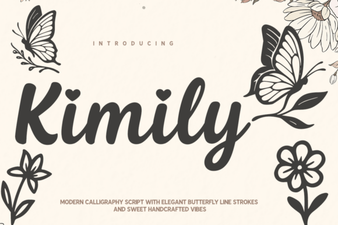 Kimily Font: Creative Typography for Modern Design Projects
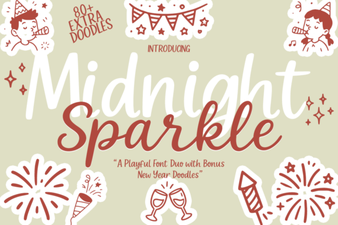 Midnight Sparkle Duo Font: Description & Design Ideas
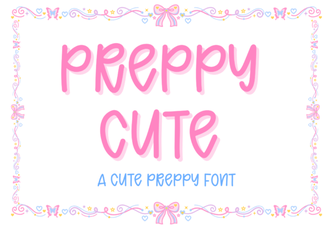 Charming Preppy Cute Fonts for Stylish Designs
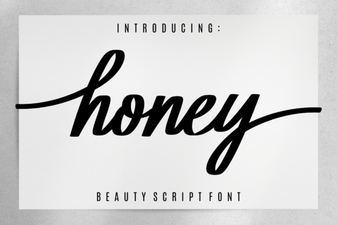 Honey Font Inspiration: Sweet Typography & Design Projects
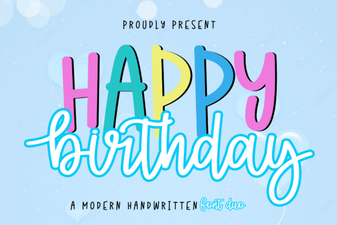 Happy Birthday Duo Font: Creative Design Ideas & Uses
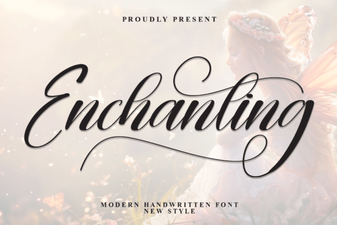 Enchanting Fonts: Add Magic to Your Typography