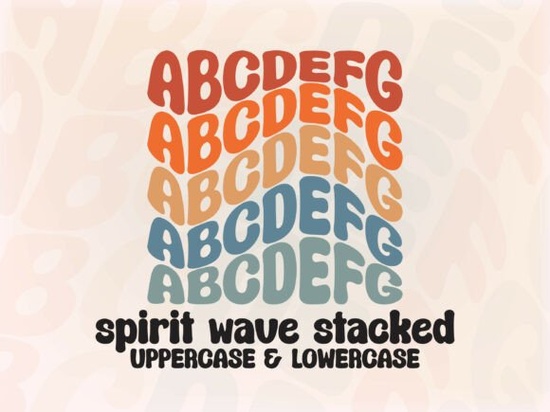
What makes a stacked bubble font different from a regular bubble font?
A standard bubble font gives you rounded, inflated letterforms. A stacked bubble font like Spirit Wave goes further by arranging the characters with a built‑in vertical bounce and a wavy baseline. Instead of sitting evenly on a flat line, each letter seems to rise and fall in a gentle wave pattern. This creates a cohesive, playful look without the need to manually rotate or shift individual characters in your design software. The font does the heavy lifting, so you can type a word like “SUMMER” and immediately see a lively, varied rhythm.
Because the wavy motion is baked into the glyphs themselves, you get consistency every time you type. That matters when you are working on repeatable products like print‑on‑demand merch or branding assets where each phrase needs to feel handcrafted but uniform across different uses.
How can I use Spirit Wave in my design projects?
This font thrives on loud, joyful layouts. Think concert flyers, festival merch, YouTube thumbnails, and heat transfers for tote bags. The retro undertone gives it a nostalgic 70s and 90s crossover appeal, so it fits right into vintage skateboard graphics, beachwear branding, or funky café menus. Small business owners often pair it with solid background shapes to make quote posts pop on Instagram. Crafters enjoy using it for sticker sheets, scrapbook titles, and greeting cards where the letters already feel like stickers.
If you want to keep the layout clean, try setting one or two words in Spirit Wave as the hero text and surround it with a simple sans‑serif body font. The contrast makes the wavy letters stand out without overwhelming the eye. You might also explore other expressive display fonts for variation. A rugged, hand‑drawn style such as Dusty Cowboy can complement the playful bubble look when you need a secondary font for subheadings or badges. For a completely different vibe, a font with a cut‑paper ransom note feel like Ransom Pixel adds an edgy, underground texture to the mix.
Does it come with all the letters and special characters I need?
Yes. Spirit Wave is PUA‑encoded, which means all glyphs, swashes, and alternates are fully accessible. You do not need advanced OpenType knowledge or a font manager to use them. In most design programs, you can simply open a character map or glyphs panel and double‑click any alternate letter shape or swash you want to insert. This is especially helpful if you design in simpler software like Canva or basic raster editors where OpenType features are limited. The font includes a full A‑Z set in both uppercase and lowercase, numerals, and a healthy set of punctuation marks, so you can build complete layouts without switching fonts.
The PUA encoding also makes it a reliable choice for crafters using cutting machines. You can access the alternate letters directly through your system’s character map, copy them, and paste them into Cricut Design Space or Silhouette Studio without compatibility headaches.
What software works best with Spirit Wave’s wavy style?
The designer recommends Adobe Illustrator or similar vector software that supports advanced font features. This is because the font’s built‑in wavy stacking relies on precise glyph positioning. In Illustrator, you simply type your text and the effect appears automatically. In raster‑based programs like Photoshop, the font still works beautifully, but some very fine spacing adjustments might be needed if you want to fine‑tune the wave.
If you use Affinity Designer, CorelDRAW, or Inkscape, you will get the same smooth wavy output. For quick social media graphics in Canva, Spirit Wave also works; just be aware that you may not see the glyph alternates directly inside the text tool. You can still import the alternates from a character map or use the font as‑is with the default letters, which already carry plenty of personality. Many designers find that combining this font with a script companion gives layouts a charming contrast. A flowing handwritten style like Roadscript creates a lovely juxtaposition of structured wave and organic cursive.
Is this font suitable for commercial work like POD or client projects?
Creative Fabrica fonts typically come with a commercial use license when downloaded through a subscription or single purchase. Always check the specific license included with your download, but generally you can use Spirit Wave on physical products for sale, digital designs for clients, branding projects, and social media content. The stackability and wave effect reduce manual design time, which is a real advantage for print‑on‑demand sellers who need to pump out multiple mockups quickly cleerje.
For client work, it is smart to outline the text before sending final files. That way you avoid font‑embedding issues and ensure the wavy stacking remains exactly as you designed it, regardless of the software your client uses.
Are there alternative fonts with a similar retro bubble feel?
If you love the nostalgic energy of Spirit Wave but need even more variety, several other display fonts bring a different flavor to retro typography. A bold, mythic serif like Greek Odyssey offers an ancient‑meets‑modern aura that works wonderfully for fantasy‑themed branding or epic event posters. For a raw, vintage western twist, a textured slab serif can ground your design when the bubble font feels too soft. A cohesive set of display fonts helps you build a consistent brand look across different products while keeping each design fresh.
Even within the bubble font category, subtle differences in stroke thickness and stacking angle can change the mood. Explore a few options before settling on your go‑to, and test how each font behaves at various sizes. Spirit Wave tends to look best at larger display sizes think 36pt and above so save it for headlines, big quotes, or main focal phrases rather than body copy.
How do I install and start using the font right away?
After purchasing Spirit Wave from Creative Fabrica, you will download a zipped folder containing the OTF and TTF files. Unzip it, then double‑click the font file and hit “Install” on Windows, or open it and choose “Install Font” on a Mac. It appears instantly in your design apps. Once installed, open your preferred software, select the Spirit Wave typeface, and start typing. You will see the wavy stacking right away.
To keep things running smoothly, restart any already‑open applications after installation. For cutting machines, after installing on your computer, the font will automatically appear in your machine’s software font list. If you need a special character like a swash or stylized alternate, use the system Character Map (Windows) or Font Book (Mac) to locate the glyph, copy it, and paste it into your design.
A quick checklist before you download
- Test the water: Try a short phrase in a mockup to see how the wave interacts with your background.
- Pair wisely: Choose a simple sans‑serif or clean serif for supporting text so the bubble font remains the star.
- Check your license: Confirm commercial rights for your intended use, especially if selling products.
- Outline for clients: Convert text to paths before sending final artwork to avoid font conflicts.
- Explore alternates: Open the glyphs panel to add swashes and make each design feel unique.
Start with a single word like “LOVE” or a short phrase. Adjust the tracking slightly if needed, keep the size generous, and let the built‑in wave do the talking. A playful font like this saves you time on manual letter adjustments and brings a consistent retro vibe to every project.
Get Started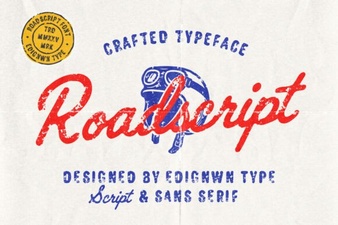 Roadscript Font: Unleash Creativity in Your Typography
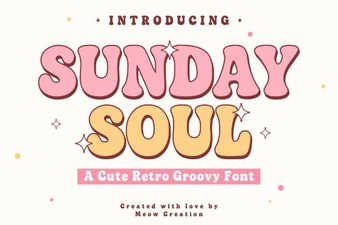 Sunday Soul Font: Creative Display Typeface Inspirations
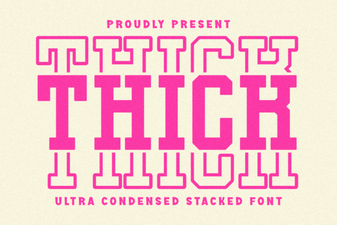 Bold Typography: Thick Stacked Fonts for Impact
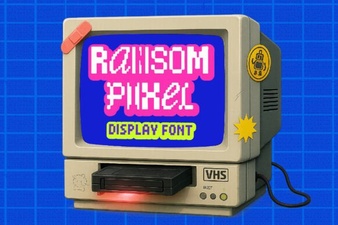 Ransom Pixel Font: Design Inspiration & Project Ideas
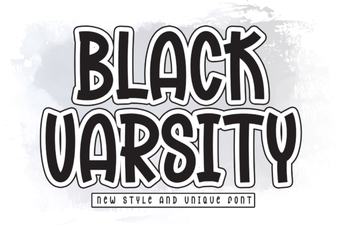 Bold Black Varsity Font Styles for Your Next Design
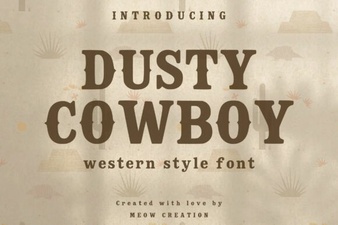 Dusty Cowboy Font: Western Typography for Creative Projects