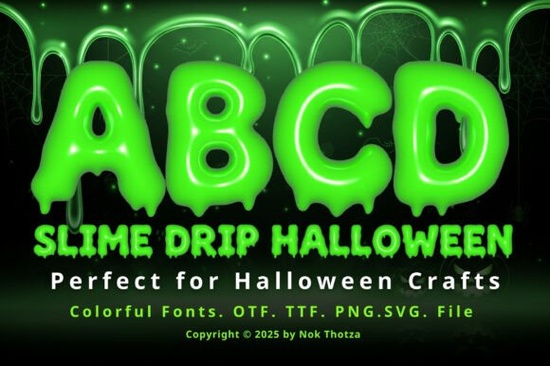
Finding a typeface that instantly says “Halloween” without looking cheap or hard to read can be a real struggle. The Slime Drip Halloween Font solves that with a gooey, three-dimensional slime effect that drips right off the page. It glows with an eerie light, making it perfect for anyone who wants their project to feel creepy, playful, and impossible to ignore.
How does the 3D slime effect change a design?
Flat text rarely grabs attention in a sea of Halloween visuals. The built-in depth and shiny highlights of this font do the heavy lifting for you. Each letter looks like it was dipped in glowing slime and left to drip. This means you don’t need extra layer styles, bevels, or gradients in your design software the font already has that dimensional, wet look baked in. You can simply type, adjust the color if needed, and place it on a dark background. The contrast between the bright, oozing edges and a shadowy backdrop creates an immediate focal point.
If you design for print, the effect stays crisp because the details are part of the letter shapes, not an overlay that might misalign. For digital screens, the glow and drips pop even at smaller sizes, making it suitable for social media thumbnails and animated reels.
Which projects work best with a dripping Halloween font?
You can push this typeface into plenty of spooky projects without overcomplicating things. Party invitations are an obvious fit imagine “You’re Invited to a Fright Night” in slime-dripping letters. The font also works on:
- Halloween party flyers and posters the bold, thick shapes stay readable from a distance.
- Packaging for seasonal treats cookie boxes, candy labels, or limited‑edition product wraps feel more thematic.
- DIY crafts cut vinyl decals for trick‑or‑treat buckets, pumpkin carving stencils, or iron‑on transfers for costumes.
- Social media graphics the glow effect looks particularly punchy on Instagram stories or TikTok text overlays.
- Print‑on‑demand merch think T‑shirts, mugs, or tote bags with “Boo Crew” in slime letters. Because the font is already so detailed, you don’t need complicated compositions.
Small business owners and print‑on‑demand sellers often tell me they love how little extra work this style requires. The font itself is the main visual element, so you can build a whole design around a single word or short phrase.
Is this font easy to use in popular design software?
Yes. This gooey typeface comes in standard font formats that install like any other font on your computer. Once installed, it appears in the font menu of programs like Adobe Illustrator, Photoshop, Canva (on desktop), Silhouette Studio, Cricut Design Space, and even basic word processors. All the slime details, drips, and glowing highlights are part of the font file, so there’s no need to hunt down extra effects or textures.
For crafters who use cutting machines, the font works well because the shapes are solid and weeding is straightforward, even around the drip edges. Just weld the text together if your software requires it, and you’re ready to cut.
What other colorful fonts pair well with slime styles?
Sometimes you need a secondary typeface to balance the boldness of the slime effect. A clean sans‑serif can make small details like dates or addresses easy to read without competing with the drips. Pairing a simple blocky font for body text keeps the overall design clean while the slime font acts as the headline star.
If you enjoy the playful, colorful side of display fonts, you might also look at styles designed for other holidays. For example, the whimsical Grinchmas lettering gives a similar sense of fun but leans more festive than frightening. Having a few go‑to themed fonts in your library makes seasonal content creation much faster.
Can you change the colors or keep the gooey look intact?
Absolutely. The slime effect relies on contrasts between light highlights and darker drips. When you change the font color, try picking a neon green, toxic purple, or bright orange. Darker backgrounds amplify the glow. If you want a subtler look for a kids’ party, pastel versions still keep the drip shapes but tone down the horror vibe. You can even add a soft outer glow in your design software to mimic backlighting, which makes the letters appear as though they’re glowing from within.
What should you check before downloading?
Start with a quick review of the license terms. Most Creative Fabrica fonts come with a standard commercial use license, but if you plan to sell physical products like T‑shirts or stickers, verify that the included license covers print‑on‑demand and extended commercial projects. Also check the character set while standard A‑Z and numbers are included, you’ll want to make sure any specific punctuation or language support meets your needs.
When you open the font for the first time, test it at different sizes. The drips are most impressive at larger point sizes, while the glow effect may need a little extra contrast on very small screens. A couple of minutes adjusting letter spacing can also make the slime feel more natural, since the letters are meant to have a slight “wet” unevenness.
One last tip: if you plan to use this font in a video or animation, add a subtle wiggle or bounce effect to the text. The drips already suggest movement, and a tiny bit of motion can make an otherwise static design feel alive.
Before you wrap up your next Halloween project, run through this quick checklist:
- Choose a dark background to make the glow and drips stand out.
- Weld or convert text to outlines if you’re cutting vinyl or stencils.
- Test print on everyday paper first to see how the slime details reproduce.
- Pair with a simple sans‑serif for any small print that customers need to read easily.
- Double‑check the license for your specific selling or crafting use.
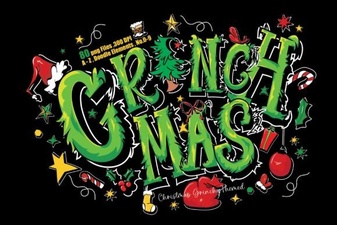 Grinchmas Font: Creative Holiday Typography
 Roadscript Font: Unleash Creativity in Your Typography
 Kimily Font: Creative Typography for Modern Design Projects
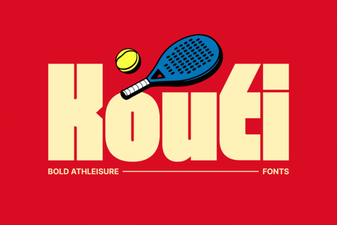 Kouti Font: Fresh Design Ideas for Your Next Project
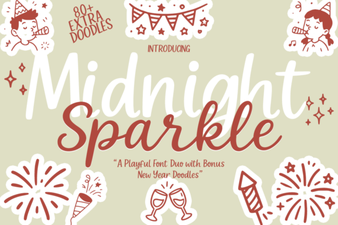 Midnight Sparkle Duo Font: Description & Design Ideas
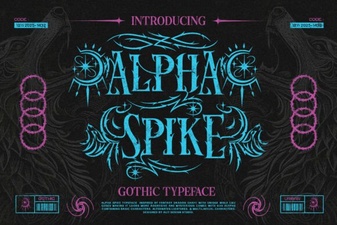 Alpha Spike Font: Bold Geometric Typeface for Modern Design